 |
| source: Yurtigo |
Skynet first entered the house via an Amazon Dot that my wife received as a gift from a friend. She could play music off both Amazon Music and Spotify, telling us the weather for the next day and even answering a random kitchen conversion for us. She's limited in her knowledge, but not afraid to tell you she had to ask someone else. Luckily with her 'skills', she can be extended to include more functionality. Skills can include random things like trivia games, exercise routines, and home automation. Of course, if you have a fire tv, Alexa can control it some, and if you have other Alexa devices, you can chat and/or broadcast between them. "Alexa, broadcast 'Dinner is ready'". Our absolute favorite ability is having Alexa maintain the grocery list. Everyone now knows how to add things to the family shopping list and my wife and I can access this list via AnyList app.
- Alexa, add fruit to the shopping list
- Alexa, play mariachi music (especially during taco Tuesday from Spotify, amazon music)
- Alexa, pause family room tv (fireTV, Xbox, TiVo skills)
- Alexa, broadcast 'Dinner time' or 'Time to go!'
Skynet, Bright Beginnings
So, winter was coming and it was dark in the house around 4pm local time. My oldest daughter came home first and got freaked out because she heard a sound and all the lights were off. I had the idea of having Alexa turn on the lights for me when people came home. There are a couple of options when it comes to turning on lights automatically or via voice control with Alexa, Google, Siri, etc.- wifi lightbulb: A smart light bulb that ranges from simply allowing you to turn on the bulb at a specific time, to changing colors, playing sequences (dance party!) or having fancy 'mood' themes (like candlelight). Early editions of these bulbs required a 'control hub' on the home network. Newer ones are standalone and simply require a phone app to configure. I was not a fan of these early on because of the cost; a $30 lightbulb that would burn out sooner than later.
- wifi plug: A small device that sits between the lamp and the wall plug. These are great for anything that's not mounted in the wall, like a lamp, the Christmas tree when it's up, and even things like a humidifier.
- wifi wall switch: This replaces a dumb wall switch. Perfect for those situations where there are existing wall or ceiling mounted lights like the kitchen or porch lights where you don't have a lamp. To install a wall switch will most likely require turning off the power to the switch beforehand and finding a fourth 'common' wire which may/may not exist in all locations.
 As it was coming up on Christmas, I found this package at Costco (see link #2 above). We have a floor lamp and the Christmas tree was up, so I configured them both to come on at dusk and then turn off around 10pm. WEMO's app is fairly intuitive and easy enough to control the lights with this program. By adding the WEMO skill to Alexa, we can ask her to turn these lights on again. Now my wife and children didn't have to come home to a dark house and the Christmas tree was never left on overnight! Over the next few months, I slowly added three Wemo wifi switches (link #3) for the kitchen lights, my desk lamp, and even the front porch light.
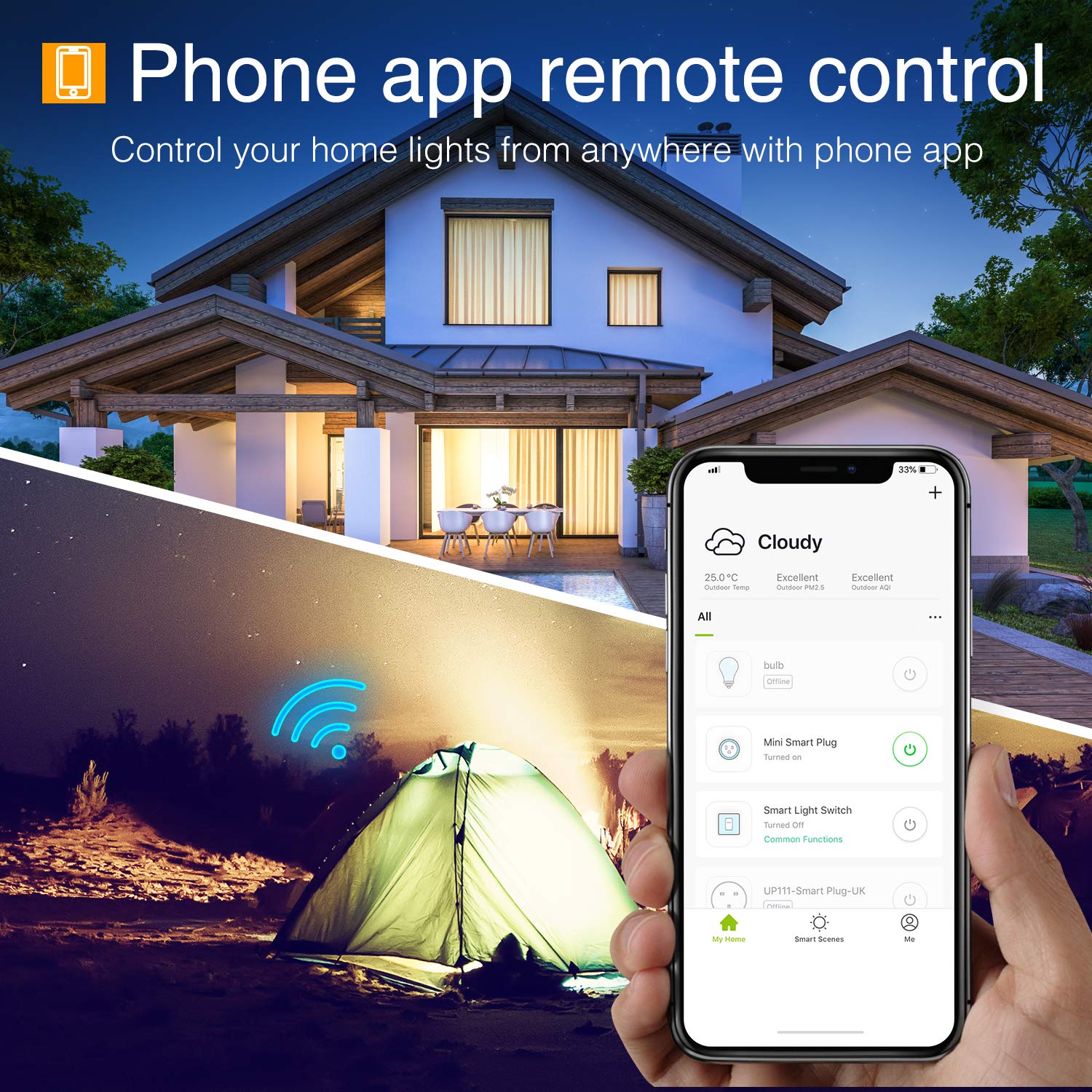 Earlier this year, I took my first step into wifi lightbulbs. Amazon advertised a 2-pack of bulbs for $17. As 'dumb' LED bulbs in my area range from $5 - $9, two bulbs for $17 that could be controlled by Alexa sounded cool for a test drive. The first bulb was put in a night-stand lamp in our master bedroom. I wanted it to also come on at dusk and go off when we went to bed. The Gosund bulbs are dimmable so I envisioned a routine where it came on bright white in the morning, then slowly dimmed to closer to bedtime. Unfortunately, as we didn't have an Alexa in our bedroom, so we ended up turning off the lamp via the lamp's switch. Now the bulb couldn't be turned back on programmatically until switched back on. The bulb was also slow to respond so we would switch it a few times, triggering the light's re-programming mode (which meant the bulb blinked furiously until completed). Back to dumb LED in our bedroom. I moved the bulb to my daughter's room where she has a google home mini (more on google later). The bulb automatically comes on at dusk. Via the g-Home, I have a routine "it's bedtime!" that turns off the light, wishes her good night and starts 20 minutes of ocean wave sounds to help lull her asleep. The other bulb in the pack? It burnt out about a month after I installed it in another bedroom. I've replaced it with a Phillips Wiz bulb (link #1 above) that has been working great. (for fun, check out 'fireplace mode' on the light.)
Overall, I've been extremely happy letting Skynet control my home lights. They auto-magically adapt to the day-light time frames throughout the year. I suggest limiting the brands of systems bought. A new phone app is needed to configure for each smart home device you have. A new skill is needed on Alexa to interact with it. I've tried to some brands on Amazon simply because I didn't think they'd stick around for long.
Programs we have now on the lights:
- kitchen, living room, daughter's room, den and front porch come on at dusk
- also, Christmas tree if it's up
- kitchen and living room turn off automatically at 10pm.
- turning on the kitchen after 10pm will only stay on for 5 minutes.
- the kitchen turns on at 5:30am in the morning and turns off at sunrise.
- den turns off at 1am.
- the front porch is manually turned off (last-minute grocery runs?)
- daughter's room turns off via the routine "it's bedtime"
- google, change bedroom light to 15% brightness
- google, change bedroom light to pink
- "Alexa, turn off the lights" will turn off all downstairs lights.
I would still like to:
- replace dumb family room switch for ceiling lights
- replace bulbs in den ceiling light to Phillips bulbs so they can dim as it gets later.
- replace the switch for upstairs hall nightlight to turn off during the day.
- replace 3-way dimmer switch on hall lights with smart switches
Skynet builds her Nest.
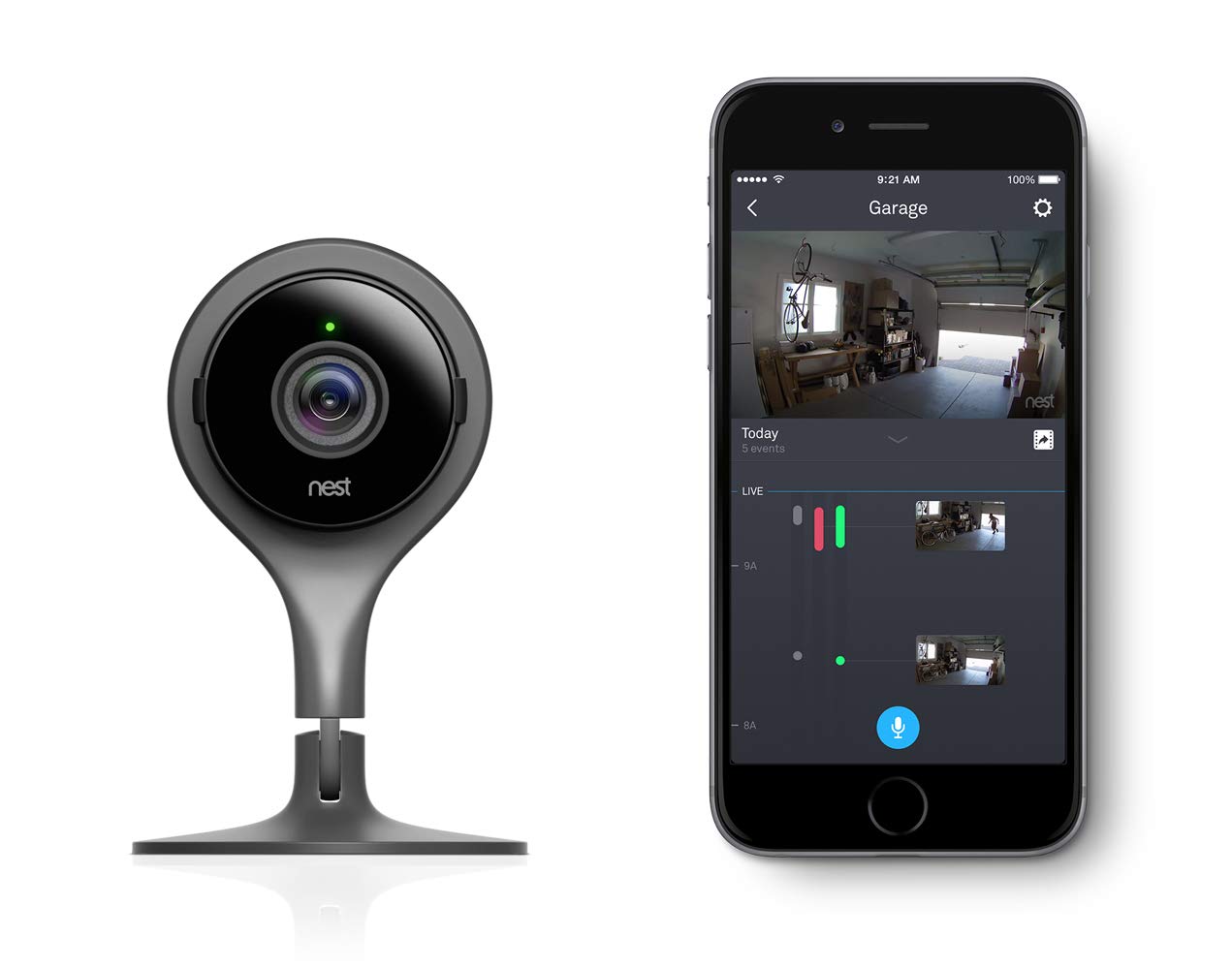 About 3 years ago, both my oldest children transitioned into grades where they walked home (high school half-mile away, middle school bus dropped off at end of our street) and let themselves in the house. Unfortunately, they didn't always let us know when they got home, so we'd have to call and check-in. After a few times of this, we some low-key surveillance in the form of a Nest camera facing out the garage door. Now whenever someone enters the garage door, we would be alerted it was opened, it saw a person or there was talking within range of the camera. There was a little fine-tuning as cars driving down our street would trigger the motion alerts.
One thing I really wanted was 'AWAY' mode. This would disable the garage camera when we were home. Taking out the trash? Grabbing something from the garage? Nest has a mode that is triggered when a phone is on the same wifi as the camera, but it was faulty. Nest Thermostats reportedly did a better job at this. Plus when tied to an Alexa or Google Home, it would allow your routines to trigger on home/away modes. Unfortunately, after spending a good two hours on support with Nest, I was never able to make it work. I've diagnosed my issue to the existing thermostat that is installed in my home doesn't provide enough power to the controllers. (controller in the attic) I have an idea of how to resolve the issue but would need to buy the thermostats again.
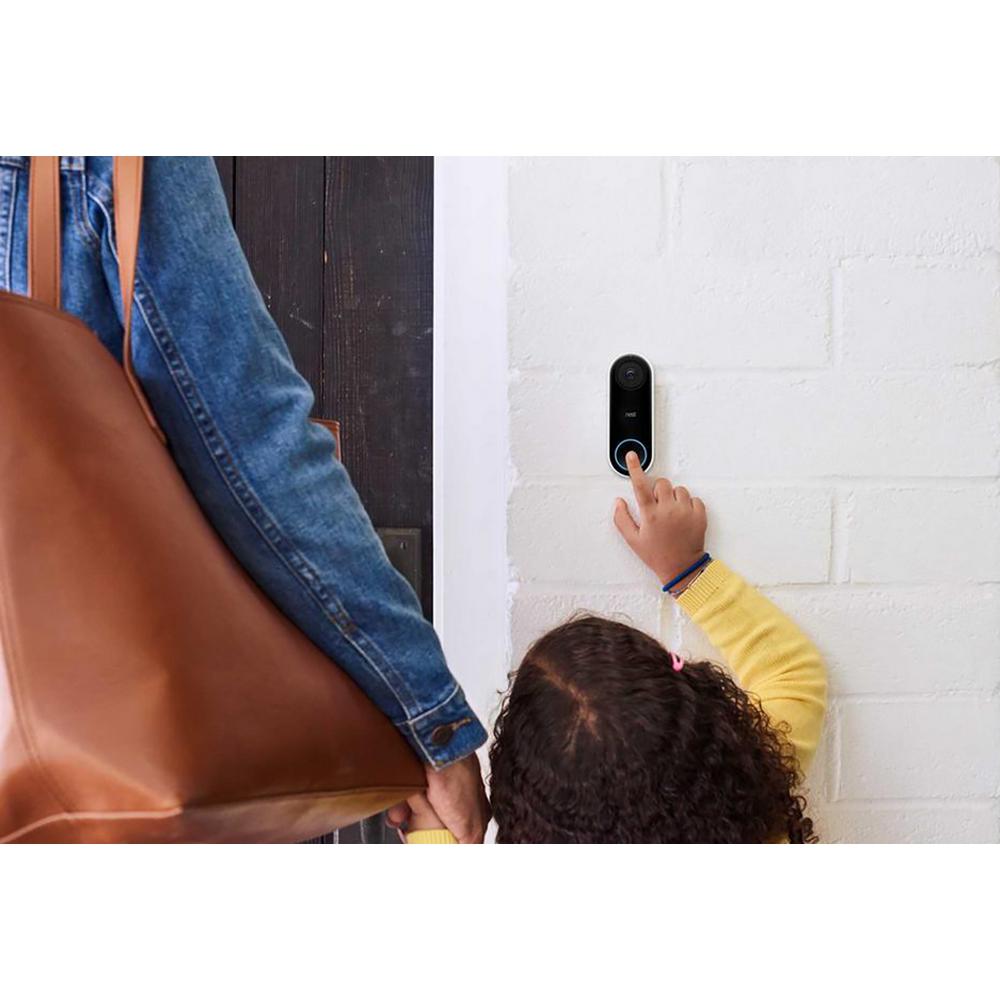 News started spreading about delivery packages disappearing off our neighbors' porches. As a bit of security, we added a Nest Hello to our front door. This provides coverage of who comes to our front door with notifications when someone drops off or picks up a package. As the Hello has smarter facial recognition, it can recognize common faces. Now we get text messages on our phones when someone comes onto our front porch. A google-home device on the same network can announce who pushed the doorbell button. If you have a Chromecast, tied to your Google Home, you can have the tv show who is at your front door. It was because of this integration, that we brought in Google home devices into our house. "Ok Google, show me who is at my front door"
Nest integration has been nice to have, but not as seamless as wanted. To record images and get facial recognition on the Hello, requires maintaining a subscription to Nest services. Sure this is 'only' $50/year per camera, it doesn't encourage me to add more cameras to my home. The Nest thermostats are advertised as super simple to install, but something with the systems they put in our relatively new house are making it impossible.
still want to:
- Nest also has an external camera that I'd like to point at the backyard. We've had some critters tearing up the lawn in the middle of the night that I'd like to record.
- Rewire the house so that we can use the nest thermostat. I'd really like to have the weather and occupancy-based controls on the temperature of the house.
Skynet Starts Pulling Her Weight
 Living in California, we've been faced with several years of draughts. This has led to stricter watering restriction and even fines when caught overwatering your lawn. When I spotted the B-Hyve sprinkler controls had a 40% mail-in rebate, I jumped on replacing my existing dumb-control system. The basic b-hyve 'indoor timer' lists for about $60. The physical installation was just a matter of moving the wires over to similar posts in the new hardware. Through the b-hyve app, configured the device by specifying which zones are connected and a few configuration items for each location. Then b-hyve will run either a static program (water this zone for 10 minutes) or smartly modify the watering based on local weather. Best of all, Alexa has the skill to talk to b-hyve. If my youngest wants to run through the sprinklers, instead of fiddling with the controllers or loosening the valves, someone can tell Alexa to "ask beehive to turn on backyard sprinklers for 15 minutes".
maybe some year:
- Roomba has a few different smart, wifi-enabled vacuums that I want to get one. I'd love to have this cleaning the kitchen nightly to get those little crumbs that seem to accumulate during the day. I like the idea of it smartly mapping my first floor and not needing towers to prevent it from going into the wrong rooms (like the laundry room).
Skynet Turning Evil?
Am I worried that all these home devices could turn evil? Monitoring me? Allow someone to start talking to my family through the speakers? Have someone shoot a laser through my front window and turn on my lights? Yes, BUT I am also worried that viruses will get on my home computer, another case of identity fraud and stealing my car from my driveway. With that, I am taking efforts to prevent any such violations. I make sure all security updates are applied to all my devices on a fairly regular, I have enabled multi-factor authentication on the administrator accounts (google, nest, amazon).
 I also made sure my wife and kids don't use insecure passwords (which they should be changing regularly). In addition, having fairly secure wifi helps. For example, make sure that your wifi password is something different than the default 'admin' value printed in every online manual. Maybe even change your wifi SID to something so that your brand is not obvious. Maybe we can cover more ideas on home security in a different post. Overall, no, I am not that worried about Skynet turning evil as long as I remain vigilant and keep my security systems updated. Toms Guide has a great article covering this including some links to software solutions.
My second concern is the devices dying. No, I don't mean like how I've already had to replace a smart lightbulb. I mean the trend of manufacturers coming into the scene, trying smart home for a short time, then jumping ship when the gold-mine doesn't pan out. There have already been a few fatalities in the smart home market as vendors have disabled products. This will always be an issue with a market as volatile as this. I've tried to stick with larger brand name manufacturers. Amazon, Google, and Phillips. I was a little nervous about investing in WeMo until I realized they are a brand made by Belkin, a company that has been around and has a fairly diverse catalog of items.
I try to avoid:

My second concern is the devices dying. No, I don't mean like how I've already had to replace a smart lightbulb. I mean the trend of manufacturers coming into the scene, trying smart home for a short time, then jumping ship when the gold-mine doesn't pan out. There have already been a few fatalities in the smart home market as vendors have disabled products. This will always be an issue with a market as volatile as this. I've tried to stick with larger brand name manufacturers. Amazon, Google, and Phillips. I was a little nervous about investing in WeMo until I realized they are a brand made by Belkin, a company that has been around and has a fairly diverse catalog of items.
I try to avoid:
- products that require I purchase a 'hub' to control these items. I am ok with them when considering 'security' items that I want to keep isolated from my smart assistants. "ok google unlock all my doors and open the garage door"
- products that are only supported overseas. Not necessarily nationalism, but more if I need support, I don't want to wait 3-4 days for a response. "hi I can't get my smart lights to turn on in any room."
- products that only support one smart assistant. At one time we had an Alexa, Google, and Cortana smart assistant in the house. Sadly my Invoke failed to update and I can no longer get it connected to my home wifi, so Cortana is now just a Bluetooth speaker. I've been tempted with the Amazon smart devices but since we're about 50/50 Alexa to google, it would make it unreliable to have devices that only work with one of them.
Comments
Post a Comment